Spend more, save more
An order discount or free gift once the cart reaches an amount: spend $100, save 10%.
On your product page and in the cart
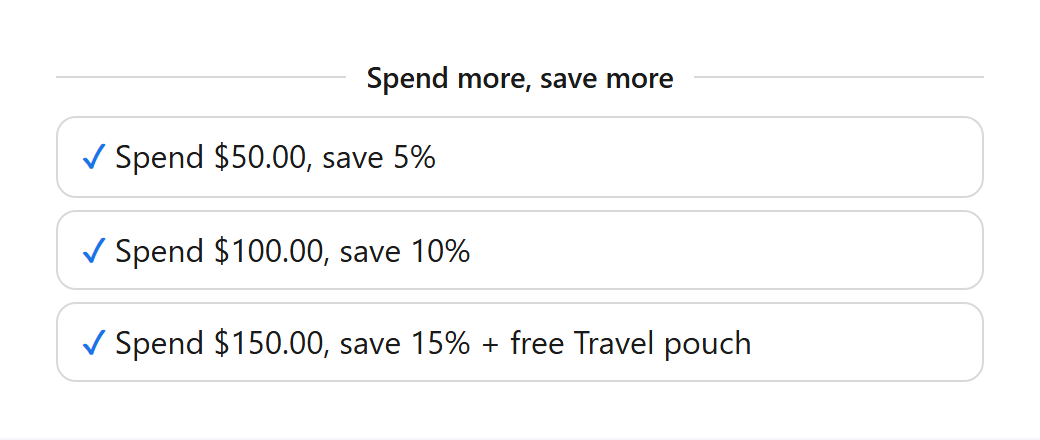
- Volumo adds up what the shopper spends on the products under Counts toward the amount. When the total reaches a tier, the discount applies to those products at checkout.
- With the cart embed on, the cart shows “Spend $12.00 more to unlock…” with a progress bar and adds the gift of a reached tier.
- Amounts are in your store currency. Shoppers paying in another currency see the converted amount.
Spending tiers
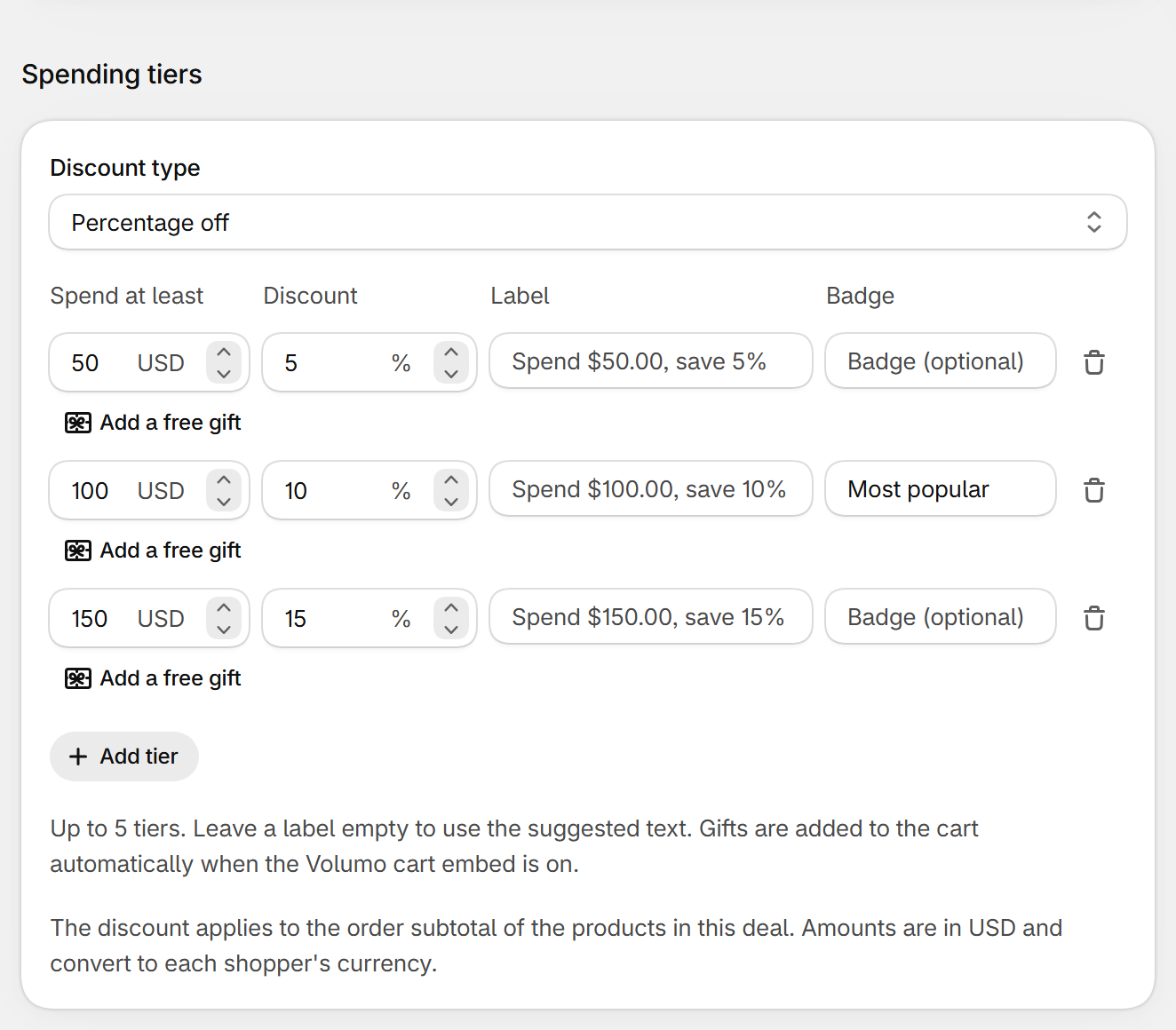
| Field | What it does | Default |
|---|---|---|
| Discount type | Percentage off, or Fixed amount off the order (in your store currency). | Percentage off |
| Spend | The amount that unlocks the tier. Each tier needs a higher amount than the one above. | 50, 100, 150 |
| Discount | The discount for that tier. 0 with a gift = gift only. | 5, 10, 15 |
| Label | Shown on the product page, in the cart and at checkout. Leave empty for the suggested text. | Empty |
| Add a free gift | One unit of a variant, added by the cart embed when the tier is reached. | No gift |
Other settings
- Customers, Schedule, Appearance and Translations: see Deal settings.
Still stuck? Email [email protected].