Quantity breaks
A lower price per item when shoppers buy more of the same product: buy 2 save 10%, buy 3 save 20%.
On your product page
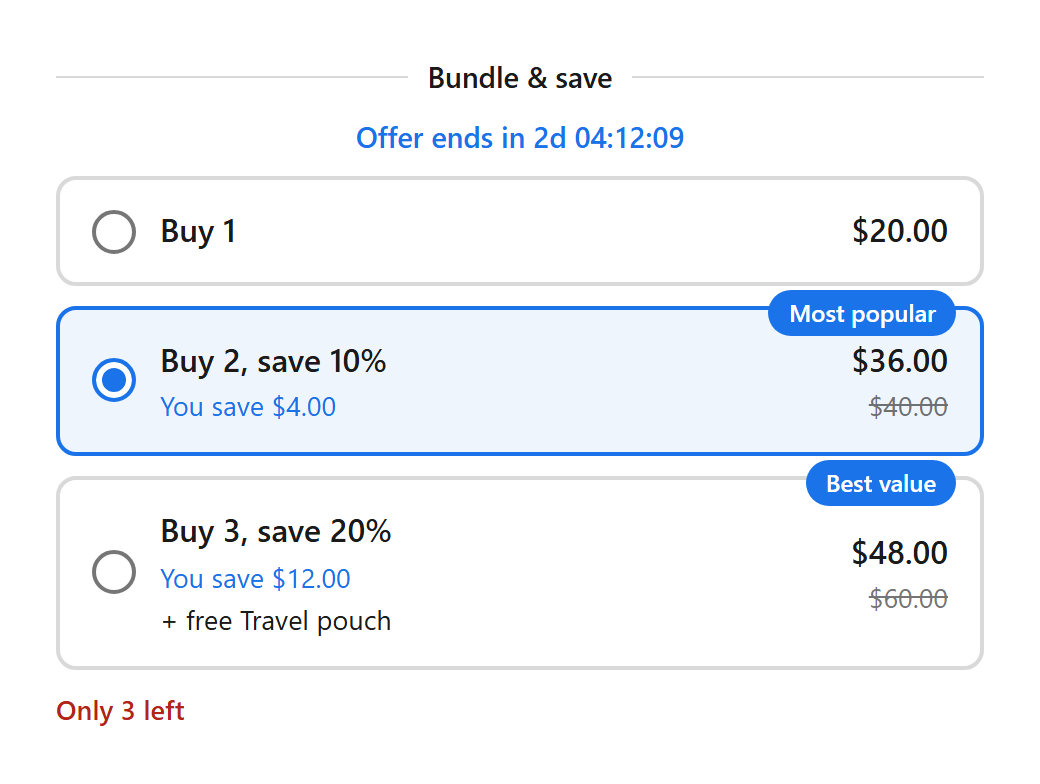
- When a shopper picks a tier, the quantity changes to match and the prices show the discount. Changing the quantity in your theme picks the matching tier.
- In the cart and at checkout the discount applies to every line of the product once the quantity reaches a tier. Different variants of the same product count together.
Tiers
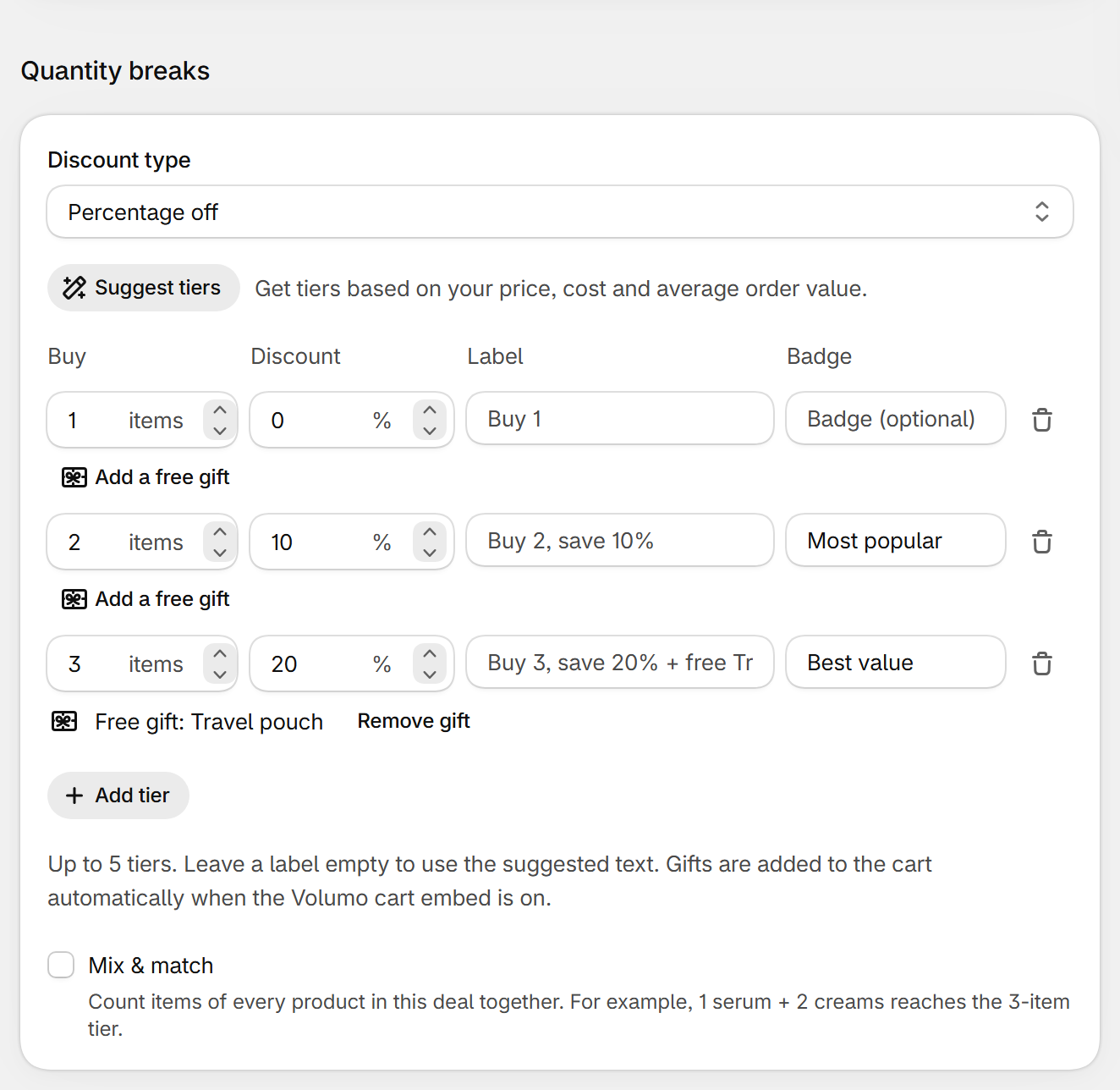
| Field | What it does | Default |
|---|---|---|
| Discount type | Percentage off, or Fixed amount off each item (in your store currency). Applies to every tier. | Percentage off |
| Buy | The quantity that unlocks the tier (1 to 999). Each tier needs more items than the one above. Up to 5 tiers. | 1, 2, 3 |
| Discount | The discount for that tier. A tier with 0 shows the normal price, useful as “Buy 1”. | 0, 10, 20 |
| Label | What shoppers read, on the product page and at checkout. Leave empty for the suggested text (Buy 2, save 10%). | Empty |
| Badge | A small tag on the tier, like Most popular or Best value. | On tiers 2 and 3 |
| Add a free gift | Gives one unit of a product variant with the tier. See Free gifts. | No gift |
| Mix & match | Count items of every product in this deal together. For example, 1 serum + 2 creams reaches the 3-item tier. | Off |
Suggest tiers
- Click Suggest tiers and enter the Price per item, optionally the Cost per item (what one item costs you) and your Average order value.
- Volumo proposes tiers that keep at least half of your margin and explains each number. Click Use these tiers, then adjust if you like.
Other settings
- Applies to, Customers, Schedule, A/B test, Appearance and Translations: see Deal settings in the menu.
Still stuck? Email [email protected].