Cart messages and gifts
Turn on the cart embed to show deal progress in the cart and add free gifts automatically.
What it does
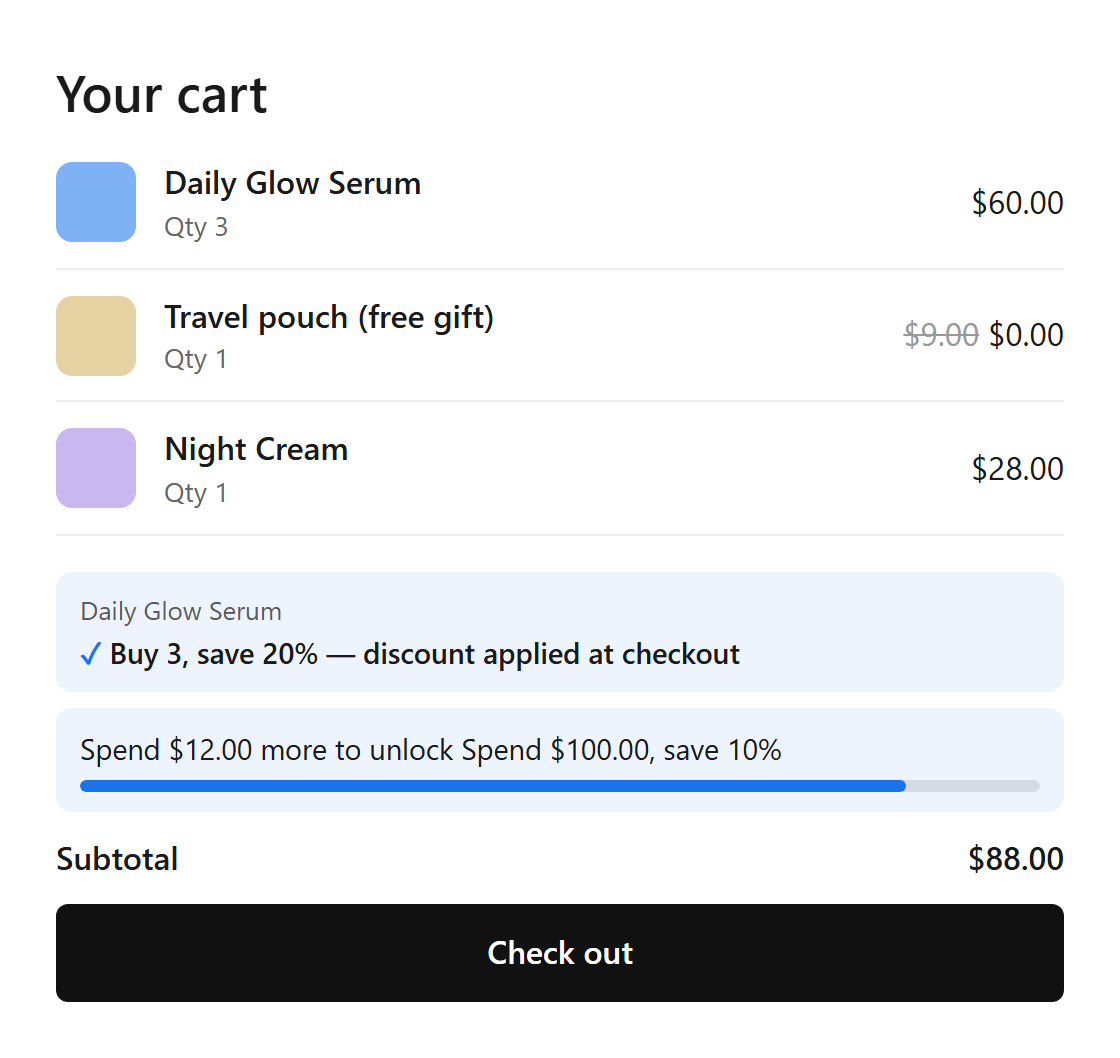
- Quantity deals: “Add 1 more to get Buy 3, save 20%” until the highest tier is reached, then “Buy 3, save 20% — discount applied at checkout”.
- Spend deals: “Spend $12.00 more to unlock…” with a progress bar.
- Free gifts: the gift of a reached tier is added to the cart, and removed when the cart drops below the tier.
- The offers on the product page and the discount at checkout work without the embed.
Turn on the cart embed
- On Volumo's home page, under App block and discount, click Turn on next to Volumo cart embed.
- The theme editor opens on App embeds. Turn on Volumo cart messages and click Save.
- Back in Volumo, the status shows On.
Cart embed settings
Theme editor > App embeds > Volumo cart messages:
| Setting | What it does | Default |
|---|---|---|
| Add free gifts to the cart automatically | For deals with a gift tier. The gift is removed again if the cart drops below the tier. | On |
| Show messages above | CSS selector of your cart's footer or checkout button. Leave as is for most themes (Dawn, Horizon and similar). | Cart footers of common themes |
| Progress bar color | Color of the spend progress bar and check marks. | #1A73E8 |
Choose where the messages show
- If the messages don't appear on your cart page, or appear in the wrong place, add the Volumo cart messages block to the cart page template (Add block > Apps) and drag it where you want.
- The block has no settings of its own; the cart embed must be on.
Still stuck? Email [email protected].