Buy X, get Y
Shoppers get items free or at a discount when they buy a set quantity: buy 2, get 1 free.
On your product page
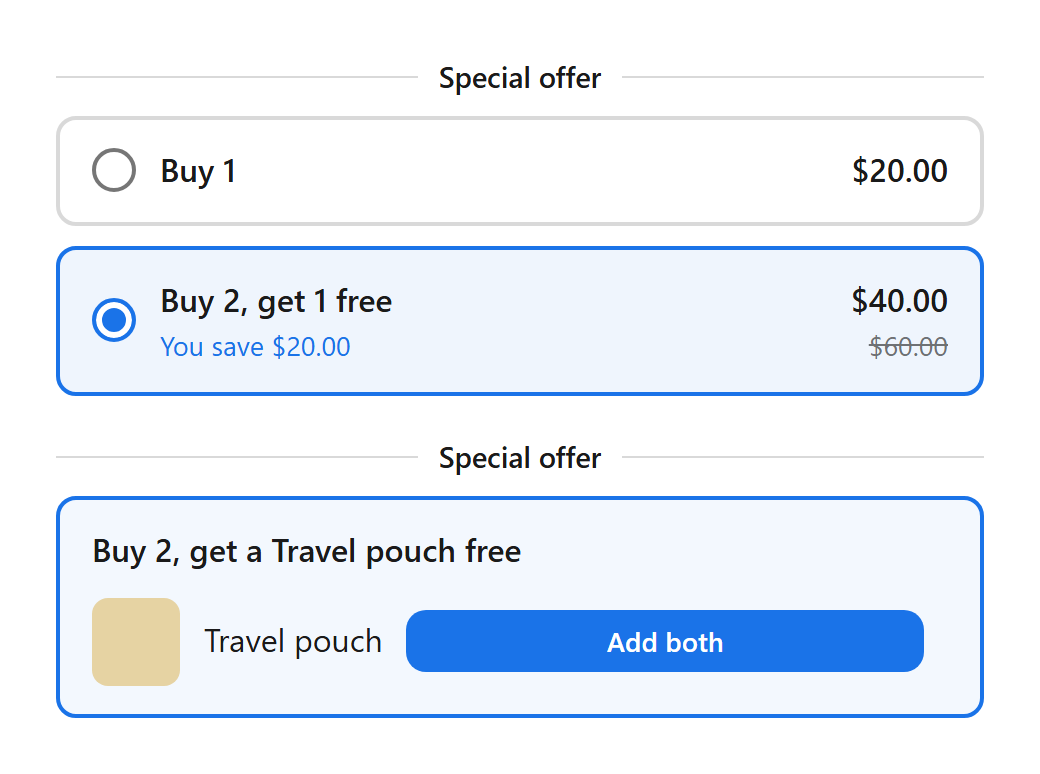
- More of the same product (buy 2, get 1 free): the block shows Buy 1 and the full set with the price after the discount. Picking the set changes the quantity.
- Specific products (buy a serum, get a pouch free): the block shows up to 3 products to get, each with Add both, which adds the product and the item together.
- At checkout the cheapest qualifying items get the discount.
Offer
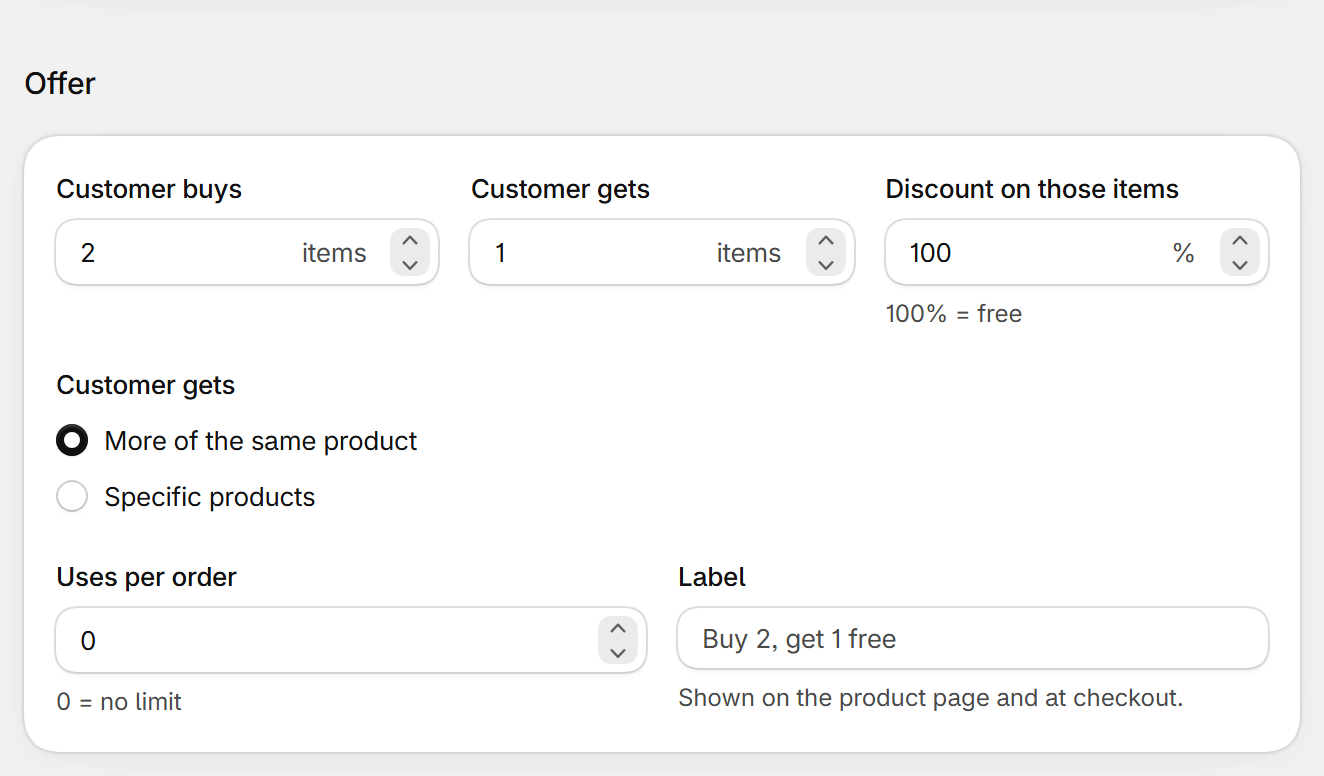
| Field | What it does | Default |
|---|---|---|
| Customer buys | How many items the shopper must buy (from the products under Customer buys from). | 2 |
| Customer gets | How many items they get at the discount. | 1 |
| Discount on those items | 1 to 100%. 100% = free. | 100% |
| Customer gets (choice) | More of the same product, or Specific products that you pick with Browse products. | More of the same product |
| Uses per order | How many times the offer applies in one order. 0 = no limit. | 0 |
| Label | Shown on the product page and at checkout. Leave empty for the suggested text. | Buy 2, get 1 free |
Other settings
- Customer buys from works like Applies to. Customers, Schedule, Appearance and Translations: see Deal settings.
Still stuck? Email [email protected].